
Local SEO for a car rental company starts with an accurate Google Business Profile, a useful page for each genuine pickup location, and a booking journey that works on a phone. The aim is to bring in renters you can actually serve: people searching near your branch, arriving at the airport you cover, or looking for the vehicle classes you keep available.
Work through one branch first. Give customers enough information to find the desk and make a reservation, then use the booking records to see what that page contributes.
Match each search to a place and a service
Write down the questions customers ask before a reservation. Airport arrivals may need a shuttle meeting point and an after-hours policy. Local residents may need a replacement vehicle for a week. Families may need enough luggage space and a child seat. These needs belong on the pages where those customers land.
| Search intent | Best starting page | What the visitor needs |
|---|---|---|
| Car rental in a particular city | City branch page | Pickup address, hours, vehicle classes and availability search |
| Rental near an airport | Airport service or branch page | Whether pickup is in-terminal, off-airport or by delivery; directions and fees |
| Automatic car rental in a city | Relevant fleet or class page | Actual transmission options, capacity and a way to check dates |
| Monthly car hire | Longer-term rental service page | Mileage, renewal rules, maintenance arrangements and how to get a quote |
Assign one main page to each meaningful intent. “Car rental,” “car hire” and “rent a car” can fit naturally on the same city page. Publishing three nearly identical pages for those phrases creates extra maintenance without giving the renter a different answer. Use the wording your customers use, including the local spelling of place names.
Check the results for your main service and city on a phone. Record which results are branch pages, directories, airport pages or fleet pages. Treat this as research into the expected answer, not a fixed position report: results can change with the searcher’s location and other context.
Make the Business Profile describe the real branch
Claim and verify the profile that represents your business. Use the trading name customers see in the real world, choose the closest available business category, and keep the address, phone number and opening hours consistent with your website. Add special hours when a holiday changes the collection schedule. A physical address belongs on the profile only when the location qualifies under Google’s Business Profile guidelines. A mailbox or an unstaffed virtual office is not a shortcut to appearing in another city. If you deliver cars and do not receive customers at your address, check the service-area requirements before displaying it. An airport you serve is not automatically a separate branch.
Send the profile’s website link to the most relevant location page. A renter arriving from a particular branch listing should see that branch’s collection instructions, rather than having to choose the location again. Check the phone link too: it should reach a team that can answer questions about that operation.
Google describes local ranking in terms of relevance, distance and prominence. Complete information helps explain the business, but you cannot set the searcher’s distance or buy a better organic local position. Google’s local ranking guidance is a better basis for this work than promises of a guaranteed place in the map results.
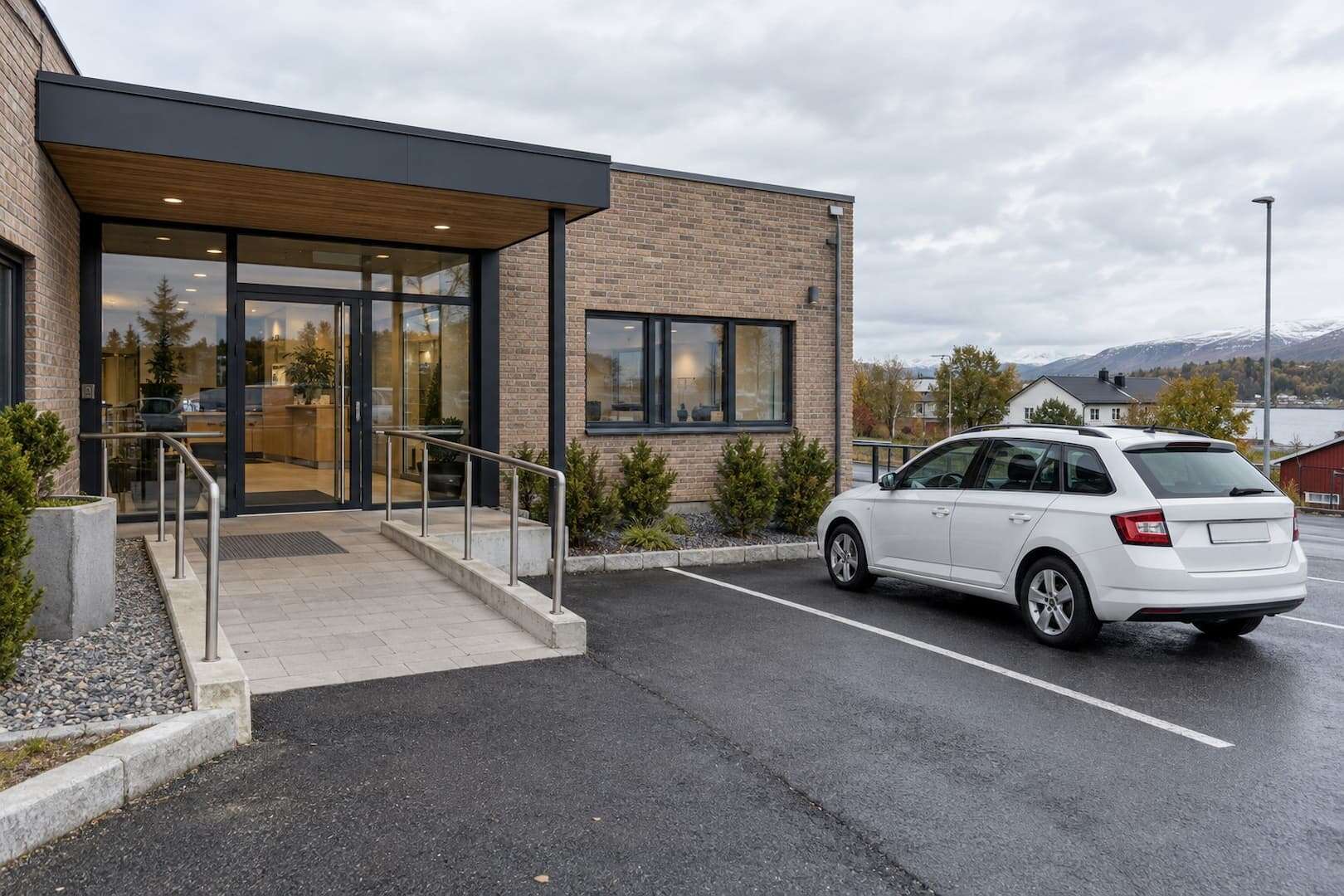
Build a location page that helps someone collect a car
The counter team can supply details a generic city description misses. Ask them what they have to explain on the phone: the entrance people miss, the train station exit to use, the difference between opening hours and booked handover hours. Put those answers beside the booking form.
Here is a practical page brief for a fictional city-centre branch. Replace every operational detail with information about your own location; the example is a structure, not a claim about a real company.
| Page element | What to include |
|---|---|
| Title and main heading | Car rental in the city centre, with the real city and trading name |
| First paragraph | Who the branch serves, where collection takes place and how to check availability |
| Pickup and return | Street address, entrance photo, parking instructions, staffed hours and after-hours procedure |
| Available vehicles | Classes actually offered, luggage and seating information, transmission, and whether a model is guaranteed |
| Rental conditions | Driver requirements, deposit method, mileage allowance, fuel or charging policy and cancellation terms |
| Booking action | A date search for this location; a clear alternative if the customer needs help |
Keep the distinctions visible. If the vehicle is delivered to a hotel, explain the service area, appointment requirement and delivery charge. If your airport collection point is outside the terminal, say so before the customer pays. A useful airport page may describe a genuine service even when you have no airport office; its wording and map should make that arrangement clear.
Use photographs taken at your actual branch on its location page and Business Profile. Show the entrance from the direction a customer approaches, the collection area and the return route. Decorative images cannot prove where the counter is. Keep seasonal details current: a temporary building entrance or a changed shuttle stop matters more than another paragraph about the city. Create a separate page when a location or service has enough distinct information to justify it. A town name swapped into otherwise identical copy rarely meets that test. Google lists pages made to funnel similar geographic searches to the same destination among its examples of doorway abuse.
Earn reviews without filtering the customers who can leave them
Choose a consistent point after the rental to ask for an honest review, such as the normal return follow-up. Keep the request short and make it easy to find the correct branch profile. Apply the same invitation rule to customers generally, rather than first asking whether they were happy and sending only positive respondents to Google. Do not offer a discount, free extra or refund in exchange for a review. Google’s review contribution policy prohibits incentives and selectively soliciting positive reviews. Let customers describe the experience in their own words.
Reply to specific issues with a useful next step. If someone disputes a charge, move the account details to a private support channel instead of publishing the rental agreement or a driver’s personal information. When several reviews mention unclear fuel charges, fix the explanation at booking and handover. That is more useful than repeating an apologetic response.

Remove the website problems that hide useful pages
Open your location page without signing in and follow its booking button. The address, rental conditions and branch description should remain readable even before a visitor selects dates. A booking calendar alone leaves the branch and its collection process unexplained.
- Link to each main location from the site navigation or a visible locations page. Use descriptive labels that name the place.
- Check that the important pages can be indexed and that a staging-site noindex setting has not carried over to the live site.
- Use one preferred URL for each location. Keep duplicate URL variants and search-result filters out of the main navigation.
- Make phone numbers, directions and the availability button usable on a small screen. Keep cookie controls and chat widgets from covering them.
- Compress large photos, reserve their display space and test the page on a mobile connection. Record the tested URL and the test conditions before drawing conclusions about speed.
Navigation links should be real links with a destination URL. Google explains this in its crawlable links documentation. A button that only opens a script-driven menu may work for a visitor but should not be the sole route to a branch page.
LocalBusiness structured data can describe a genuine location, its address and hours. Keep those details aligned with the visible page and test the markup using the tools named in Google’s LocalBusiness documentation. Structured data does not guarantee a particular search appearance, and it is not a reason to invent a rating or a location.
For a multilingual site, maintain separate, complete language pages with consistent pickup facts. Translate the conditions as carefully as the sales copy. A visitor who reads that delivery is included in one language and charged separately in another will still need to contact you before booking.
Measure reservations, not just visits
Use Google Search Console to review the queries and pages receiving impressions and clicks. Separate searches containing your brand from searches for a location or service. More branded searches can reflect customers who already know you. Keep them separate from searches that introduce new renters to your airport service.
Add a consistent campaign tag to the Business Profile website link so your analytics can distinguish that traffic. Record what each tag means and use the same convention across branches. When the booking engine runs on another domain, check that the measurement setup can follow the journey without counting the booking platform as a new referral.
A click on “Book now” is an intermediate action. Track a confirmed reservation separately from a quote request or an abandoned checkout. Match the confirmation event to a unique booking reference so refreshing the confirmation page does not create extra conversions. Keep names, licence details and other personal customer data out of analytics event labels.
| Observation | What to check next |
|---|---|
| Impressions rise but clicks do not | Whether the query matches the page, and whether the title describes the actual offer |
| Clicks rise but availability searches do not | Mobile layout, page relevance and visibility of the date search |
| Searches rise but bookings do not | Availability, total price, deposit conditions and checkout errors |
| More bookings but lower revenue per rental | Vehicle mix, discounts, rental length and channel costs |

Work through one branch over the next month
During the first week, collect the branch’s current details and correct the profile and website together. In week two, rebuild the location page around collection, return and rental conditions. Use week three to test the booking path and fix the problems that stop a reservation. In week four, review the first measurement data and the questions customers still ask. This is a work schedule, not a promise that rankings will change within a month.
Keep a dated change log. Compare equivalent periods where possible; rising summer demand across every channel should not become evidence that a page edit caused all the extra bookings.
Direct bookings still need reliable availability and a consistent handover process. When you assess car rental software, include those tasks alongside the website experience. The next useful test is simple: give someone unfamiliar with the business your branch page and ask them to find the pickup point, understand the deposit and complete a reservation.